Originally published in 2025 | Last updated: April 2026 by Georgina Grogan
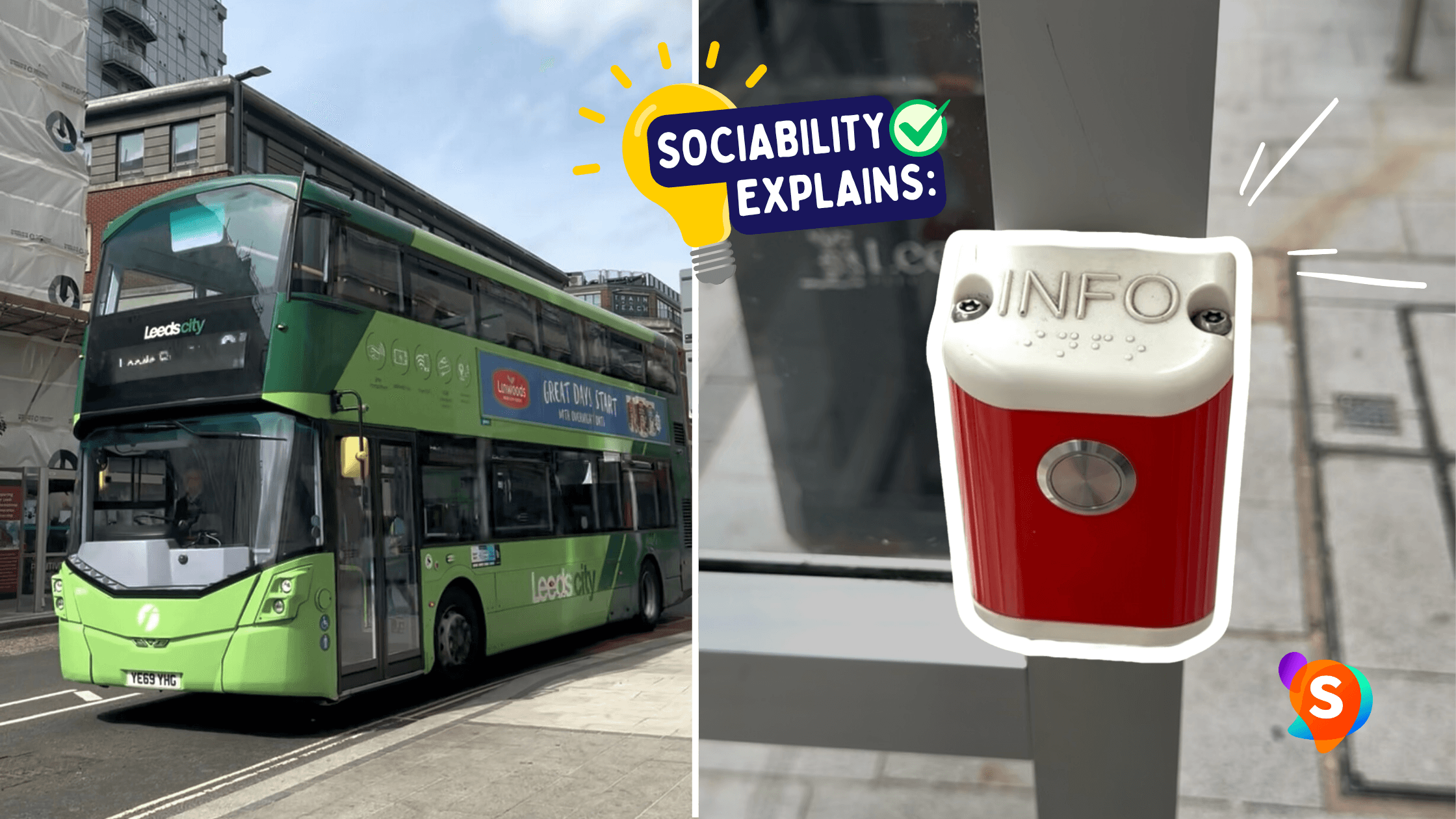
If you’ve ever noticed a small button on a bus stop pole or inside a shelter, you might have found a tactile audio information button. These buttons read out bus information when you press them, making bus travel easier for blind and partially sighted passengers, and for many other people too.
In this guide, we explain what they are, who uses them and how they work.
Want to see one in action? Watch our Instagram Reel here!
What is a tactile audio information button?
A tactile audio information button is a raised button at a bus stop, usually on the pole or next to a real-time information screen. When you press it, it reads out the information shown on the screen, for anyone who can’t see the screen or a paper timetable.
Depending on the system, it may tell you:
the name of the bus stop
the current time
which buses are due, where they’re going and when they’ll arrive
The button usually has tactile markings, such as a raised symbol or texture, so you can find it by touch.
Buttons, fobs and “talking bus stops”
These systems are often called “talking bus stops”, and they work slightly differently depending on where you are. In some areas, like Reading and parts of Brighton & Hove, you press a button on the stop. In others, like West Sussex, you use a free key fob, which you press near the real-time display to hear the information. Some areas have neither, so it’s worth checking with your local council or bus company before you travel.
Who uses them?
Tactile audio buttons are mainly designed for blind and partially sighted people, but they’re also a great example of inclusive design: a feature that works for lots of people. They can also help:
people with a learning disability, who may find spoken information easier than a timetable
people who find reading difficult, including people with dyslexia or low literacy
visitors who want to check they’re at the right stop
anyone in bad weather, when glare or rain makes the screen hard to read
Why they matter
For many blind and partially sighted people, waiting at a bus stop means relying on other people to say which bus is coming. Audio information changes that:
Independence: you can plan your own journey without asking for help.
Safety: knowing when your bus is due means you can wait somewhere comfortable and move to the kerb at the right time.
Spontaneity: you can just turn up and go, like everyone else.
How to use one
Find the stop’s information point. Buttons are usually on the bus stop pole, or on or near the real-time display.
Feel for the button. It’s usually raised, with a tactile symbol, and often in a contrasting colour, like yellow.
Press it. In fob areas, press your fob near the display instead.
Listen. The announcement plays from a speaker on the pole, shelter or display.
FAQ: Tactile audio information buttons
1. Are all tactile audio buttons the same?
No. Different areas use different systems. Some give real-time arrivals, others give more basic information, and some areas use key fobs instead of buttons. Your local council or bus operator can tell you what’s available near you.
2. Do I need to pay to use them?
No. The buttons are free to use, and where councils use fobs, these are usually free too.
3. Are they at every bus stop?
No. They’re only at some stops, often ones with real-time information screens, and coverage varies a lot between areas.
4. What if the button doesn’t work?
Like any street furniture, buttons can break. Look for a stop reference number on the pole or timetable, and report the fault to your local council or transport authority.
Tips for everyone
Don’t block the button. If you’re leaning on a bus stop pole, check you’re not covering it.
Report damage. If you spot a broken button, reporting it could save a blind or partially sighted passenger a stressful journey later that day.
Tactile audio buttons aren’t at every bus stop yet, but where they are, they make a big difference. By turning visual information into sound, they help blind and partially sighted people travel with confidence and independence.
More on accessible transport
We would love to hear your thoughts on this post. Planning a trip? Download the Sociability app to find accessible cafés, bars, and restaurants that meet your specific needs in seconds. You can also join our community and follow us on Instagram for the latest inclusive spots!
To take your advocacy further, sign up for our free newsletter, Beyond Compliance. We provide practical tips to help you champion accessibility in your workplace and everyday life. We look forward to seeing you there!

Sociability
Sociability is a disability-led social enterprise dedicated to making the world more accessible through accurate, verified data. Our team combines lived experience with technical expertise to help individuals and organisations navigate and improve accessibility information across the UK.


