Originally published in 2025 | Last updated: April 2026 by Georgina Grogan
At Sociability, we believe that information is only truly powerful if the people who need it can actually find it. While the bespoke Accessibility Management System (AMS) makes it easy for businesses to capture and manage their venue data, the real impact happens when your detailed access guides reach your target audience.
Disabled people often face significant access anxiety before visiting a new place. They need to know your verified Sociability data exists before they can feel confident enough to walk through your doors. By proactively sharing your detailed access guides, you expand your reach, attract new loyal customers, and even find new employees who value a truly inclusive workplace. You do not have to do this alone.
The Sociability Customer Success Team is here to support you every step of the way - set up a chat with us now!
Strategic Advantage: Managing Multiple Sites and Bookings
For many of our partners, accessibility is not just about one front door; it is about managing a portfolio of locations. Whether you manage a retail chain, a restaurant group, or a series of office hubs, the Sociability Accessibility Management System is built to handle complexity at scale.
Syncing Detailed Access Guides Across Multiple Sites
If you manage multiple sites, consistency is your greatest asset. Customers who have a great experience at one of your locations will expect the same level of transparency at your other venues. By using our system, you can ensure that every single one of your detailed access guides follows the same high standard of data.
This allows you to reach more customers by sharing your Sociability profiles across client or partner websites, ensuring a unified brand voice for inclusion regardless of the location.
Integrating with Booking and Reservation Systems
Do you take bookings? Sharing your detailed access guides within your booking system is the most effective way to avoid last minute surprises for both your customers and your team. When a guest can see the layout of the venue at the moment they reserve a table or a room, it prevents the access fail that occurs when someone arrives only to find they cannot navigate the space.
Embedding your guides into reservation platforms allows customers to request specific facilities that meet their needs during the booking process. This creates a smoother front of house experience and builds a level of trust and loyalty that standard review sites simply cannot match.
How to Prepare Your Sociability Detailed Access Guides for Sharing
Before you start promoting your venues to the world, you need to ensure the foundation of your data is solid. Follow these three steps to prepare your detailed access guides using the Sociability Accessibility Management System for a wider audience.
1. Update Your Sociability Accessibility Management System (AMS)
Ensure your AMS is accurate and up to date across all your locations. Use the Sociability tools to edit space names, refresh your photos, and ensure all details reflect the current state of your venues. High quality detailed access guides rely on fresh, verified data. If you have moved a table or changed a bathroom handle at any of your sites, make sure it is updated in the system immediately.
2. Choose What to Share via Unique Links
You do not always have to share every single data point at once. You can help guests find exactly what they need by creating unique links for specific spaces within your venue. The Sociability Accessibility Management System allows you to control privacy by setting different visibility levels for different groups.
For example, you might share a link to an accessible conference room for a professional event, while keeping the main bar area as the primary focus for your public guides.
Create Interactive Sociability Widgets
We can set up interactive widgets so customers can find information directly on your own website. These widgets organise details from your detailed access guides in a clear drop down format. Crucially, these widgets can display details for multiple locations at once, making them perfect for businesses with a large physical footprint.
FAQ: Using the Sociability Accessibility Management System
1. Can I manage 100+ sites within the AMS?
Yes. The Sociability Accessibility Management System is designed for scale. You can view all your locations from a single dashboard, making it easy to spot which sites need updated photos or which detailed access guides are receiving the most traffic.
2. How do I add my detailed access guides to a third party booking site?
For most booking, event, and review sites, you can link your detailed access guides yourself. Simply log into your account, navigate to your profile, and copy and paste the link. It is a simple step that can significantly reduce customer service enquiries regarding access.
3. What if my venues have different access features?
That is the beauty of a detailed access guide. Each guide is bespoke to that specific site. The Sociability Accessibility Management System ensures that while the formatting is consistent across your brand, the data is specific to each unique physical space.
4. Why should I include my guides in a press kit?
Being proactive with your PR is a great way to ensure your values are highlighted in the media. Adding a link to your detailed access guides in your press kit ensures that any journalist or blogger writing about your venue has access to accurate, inclusive information.
Where Should You Share Your Sociability Detailed Access Guides?
To maximise your impact, you should integrate your detailed access guides into every digital touchpoint where a customer or potential hire might interact with your brand. Here are the six most effective places to share your Sociability guide.
1. Your Official Website and Social Media
Showcase your commitment to inclusion by prominently linking your detailed access guides on your homepage and social media profiles. Our Customer Success Team can analyse your website and provide tailored suggestions for the best link placements to ensure high visibility. Linking to your guides on Instagram, Facebook, or LinkedIn tells your followers that you value their business and their comfort.
2. Client or Partner Websites
Attract new and diverse customers by sharing your guides on client and partner websites. If you manage other venues or rent out your physical space, this is essential. Venues that feature their Sociability Accessibility Management System data on partner websites see 10 per cent more unique viewers compared to those that keep their data siloed.
3. Review Sites and Search Engines
Make sure Disabled customers find accurate information about your venue before they arrive. Many people use reviews to get a sense of the atmosphere and facilities. By adding your detailed access guides to your profiles on TripAdvisor, Google, and Yelp, you ensure that verified, objective information is the first thing customers see, rather than a subjective or outdated review.
4. Job Boards and Career Postings
Review sites are not just for customers. They are also vital for potential hires. Attract a wider pool of talented applicants by adding your Sociability links to Glassdoor and LinkedIn. You can further ensure your hiring process is accessible by including your detailed access guides in recruitment emails, allowing candidates to feel confident about their interview location.
5. Booking and Reservation Systems
Prevent last minute adjustments and surprises by embedding your detailed access guides directly into your booking system. This supports customers to request facilities that meet their needs at the point of sale. This transparency creates a smoother experience that builds long term brand loyalty and reduces the workload for your front of house staff.
6. Event Platforms and Advertisements
Accessible event spaces are incredibly hard to find. Stand out from your competitors by embedding your detailed access guides wherever you advertise your event spaces. Our colleague Jennie recently decided to host her wedding in Las Vegas instead of the UK because accessible options in the UK were so limited and difficult to verify. This resulted in approximately £60,000 of spending leaving the domestic economy. Providing clear data helps you capture that market.
How Do I Start Sharing?
Sharing your detailed access guides and your presence in the Sociability Accessibility Management System does not need to be a complex technical task. Sometimes it is as simple as copying and pasting a link. Our Customer Success Team is available to support you through every stage of this process.
Editable Profiles
For booking, event, and review sites, you can easily link your detailed access guides yourself. Simply log into your Sociability account, navigate to your profile, and copy the relevant link. It is that simple to start providing better information to your customers immediately.
Reaching Out to Clients and Partners
If you want your clients or partners to showcase your detailed access guides, the best approach is to reach out directly. The Sociability Customer Success Team can provide high quality branded materials and assets for you to share with them, making it easy for them to host your data on their own platforms.
Marketing and PR
Be proactive with your communications. Add a link to your detailed access guides to your official press kit. This is a low effort but high impact way to ensure your company values are highlighted regardless of where your brand is being showcased in the media. It provides journalists with the accurate data they need to tell your inclusive story. For more tips on ensuring your wider marketing strategy is inclusive, Google’s 'All In' toolkit provides excellent global standards for inclusive marketing.
Ready to showcase your accessibility?
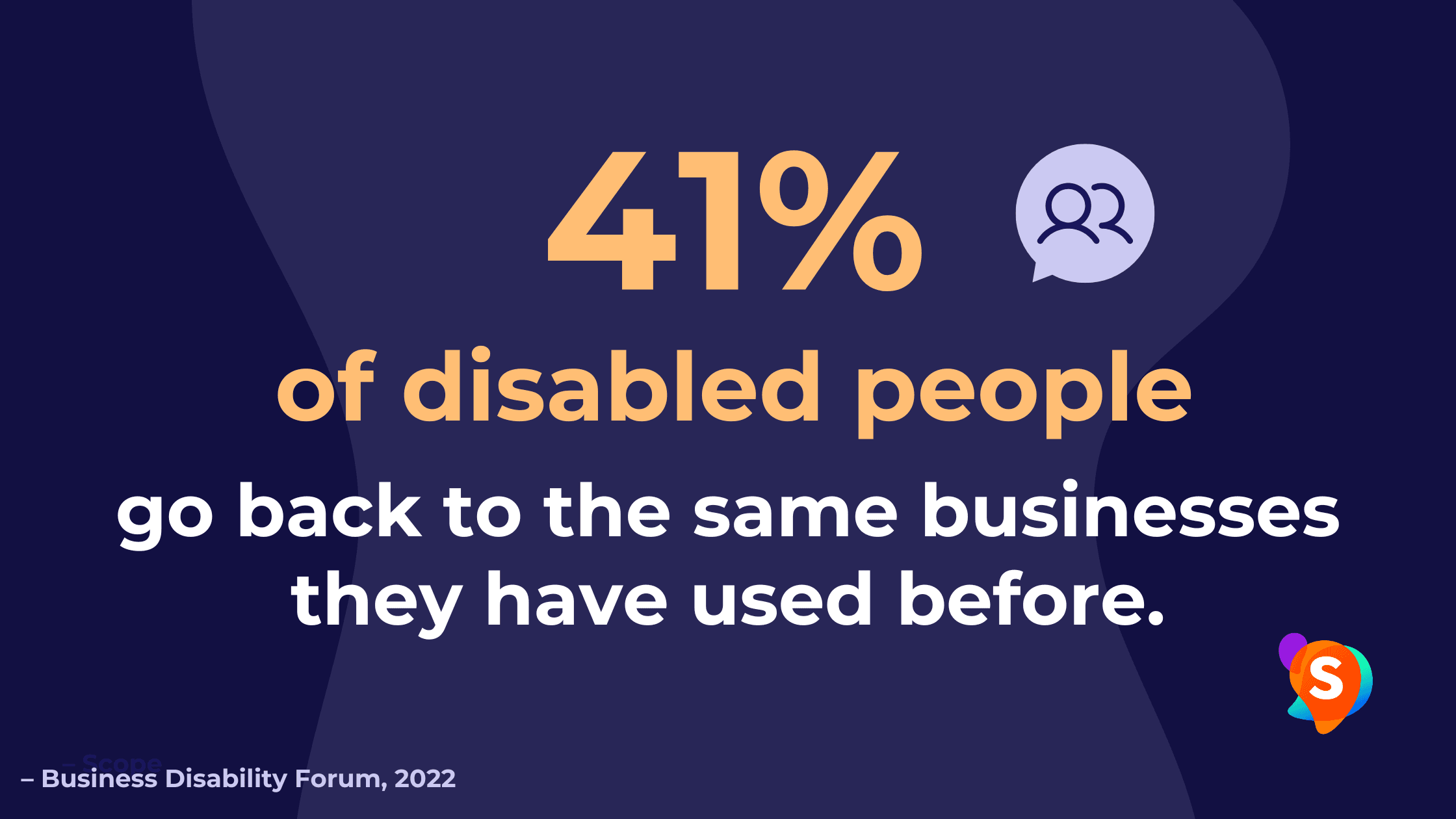
Statistics show that 78% of Disabled people would not be comfortable visiting a venue without considering the accessibility. Expanding the reach of your detailed access guides ensures that Disabled clients and talent can find you easily and feel welcomed before they even arrive.
Our dedicated Customer Success team can also provide tailored assistance by:
Identifying high-traffic locations where you can embed your AMS
Preparing your AMS for promotion
Helping you integrate Sociability with third-party platforms
You can book a 15-minute chat, or email customersuccess@sociability.app to get started!
Want to be a truly inclusive venue? Get started today!
Book a demo to see how Sociability can help achieve your goals
Join industry leaders like Arup and Toyota in setting new standards for accessibility
Sign up to our newsletter and join an engaged community of DEI professionals
We would love to hear your thoughts on this post. Planning a trip? Download the Sociability app to find accessible cafés, bars, and restaurants that meet your specific needs in seconds. You can also join our community and follow us on Instagram for the latest inclusive spots!
To take your advocacy further, sign up for our free newsletter, Beyond Compliance. We provide practical tips to help you champion accessibility in your workplace and everyday life. We look forward to seeing you there!

Georgina Grogan
Georgina is the Community Engagement Officer at Sociability. Bringing 12 years of lived experience as a Disabled content creator, she handles SEO and blog writing to successfully build and engage our community