How to Add Accessibility Information to Places on the Sociability App
Finding accessible places in the UK should not feel like a guessing game. At Sociability, our mission is to empower Disabled people to explore their communities with confidence by providing clear, reliable and detailed accessibility information.
The Sociability app works worldwide, although our most detailed coverage is currently in the UK, with accessibility information available for more than 20,000 places. Wherever you live, you can use the app to add information about places in your area and help other Disabled people plan their visits.
At Sociability, we help Disabled people find accessible places. We do not focus only on wheelchair access, because accessibility is not one size fits all. Instead, we provide detailed information so you can decide whether a place works for your individual access requirements. No accessibility scores and no blanket claims that a place is ‘fully accessible’, just clear, practical information in an easy-to-use format.
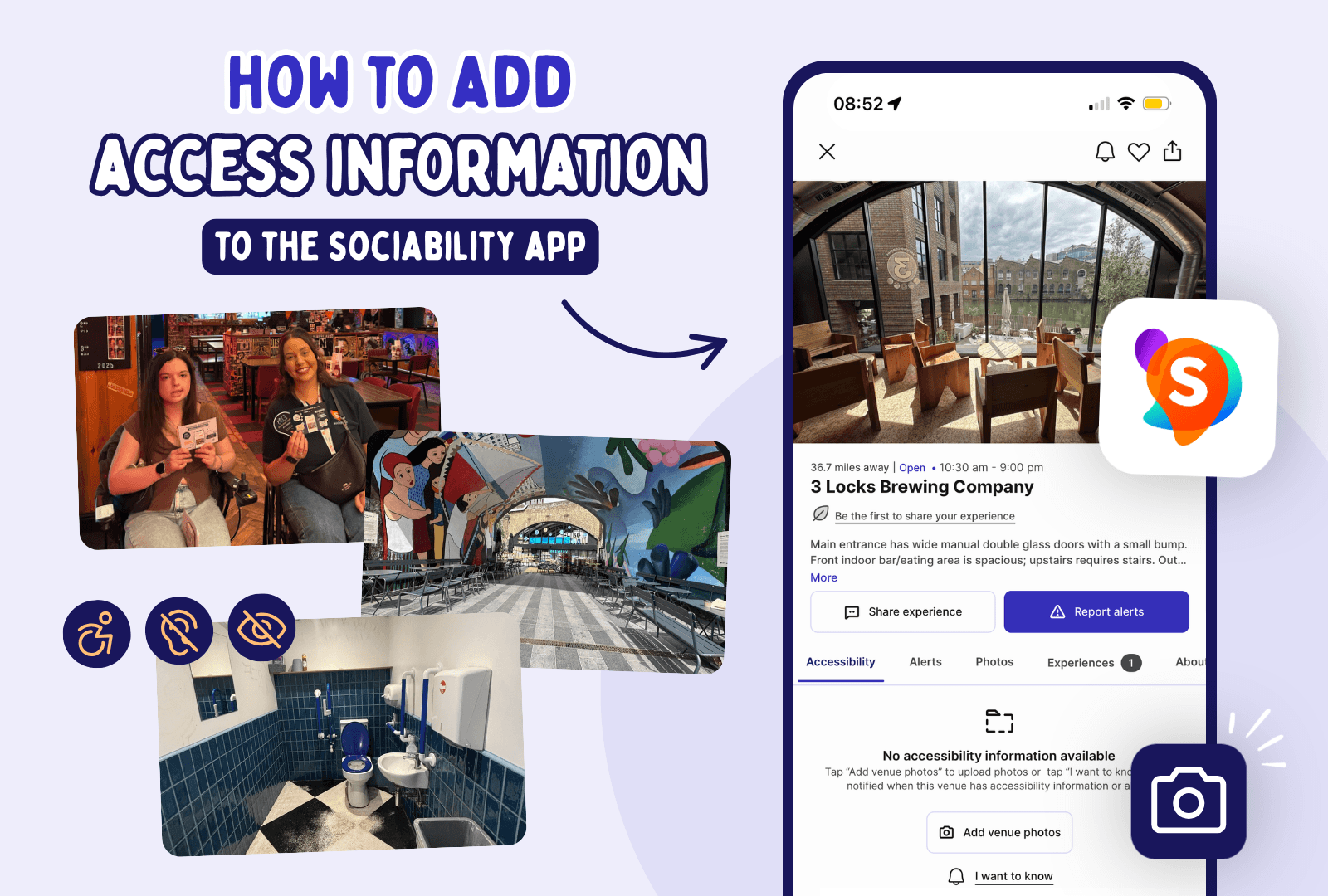
Why photos of places matter for accessibility
You don’t need to be an expert in accessibility measurements or door-width regulations to help. A single, clear photograph of an entrance or a bathroom provides more certainty to a Disabled visitor than you think.
What if a user can't see the photos?
Don't worry. Every image uploaded to Sociability is reviewed by our team and translated into descriptive text data. Furthermore, our team writes detailed alternative text (alt text) for all images so that our community members using screen readers can access the exact same layout information.
Visual Proof: Photos ground our data in evidence rather than subjective guesswork.
Expert Tagging: Our team reviews your images to identify thresholds, flooring types, table heights, grab rails and more.
Ease of Use: You can focus on enjoying your visit while snapping a few helpful shots along the way.
Whether you are in the UK or elsewhere in the world, you can add accessibility information about places in your local area with just a few photos.
Three steps to adding accessiblity information to the Sociability App
The process of adding a place is designed to be intuitive and takes only a few seconds.
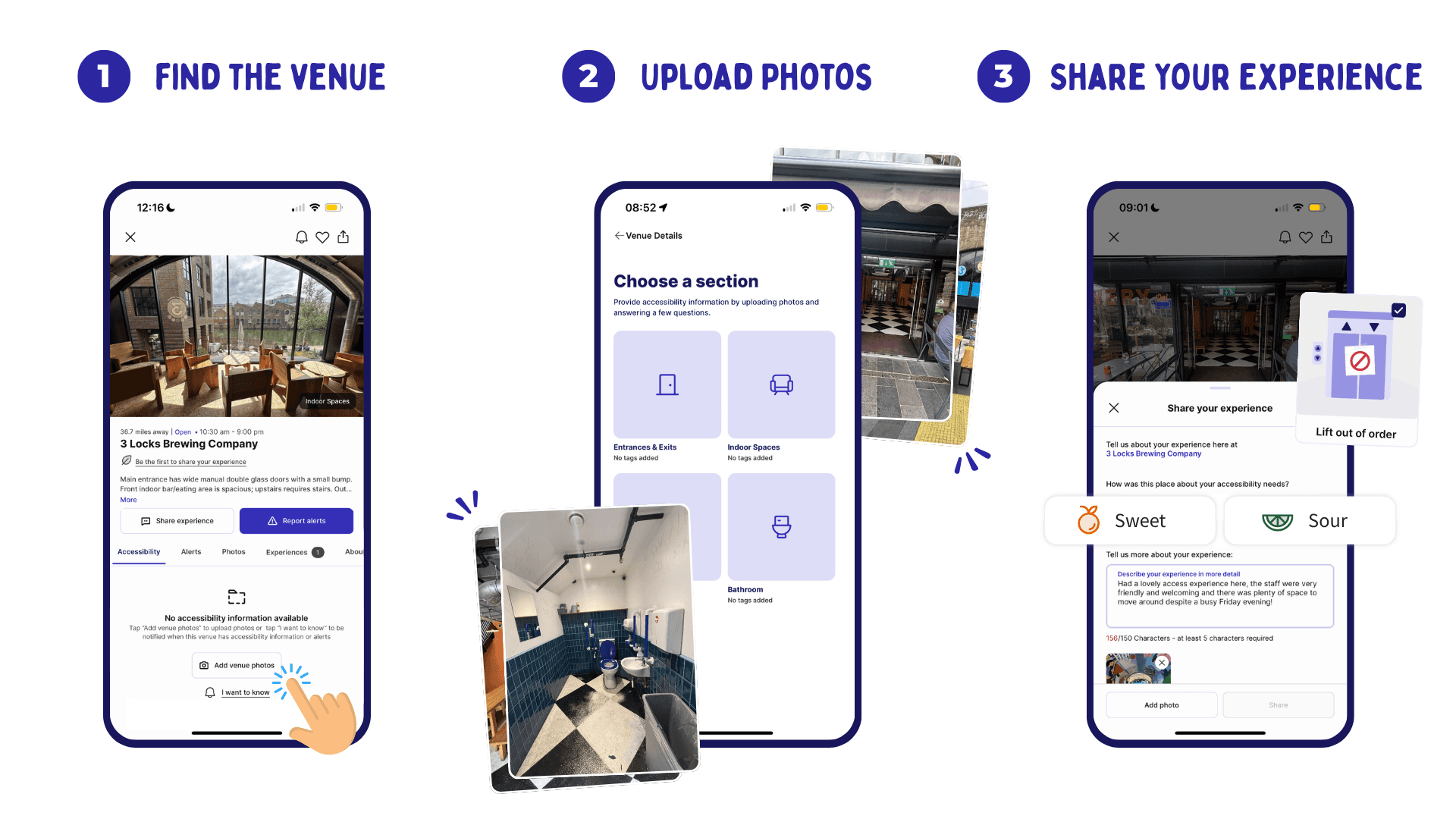
Find the Place: Open the app, click the search button at the bottom of the page and type in your place name. If it’s not appearing, try adding in the street name too!
Grey pins indicate places that haven’t had information added yet.
Orange pins represent places that already feature accessibility information
Upload Your Photos: Click the "Add info" button on the selected place. You will be prompted to capture images for four key areas: the entrance & exits, the interior spaces, outdoor spaces, and the bathroom. We’ll then add alt text for screen-reader users. (Please ensure your photos are clear so our team can write accurate descriptive alt text for screen-reader users!)
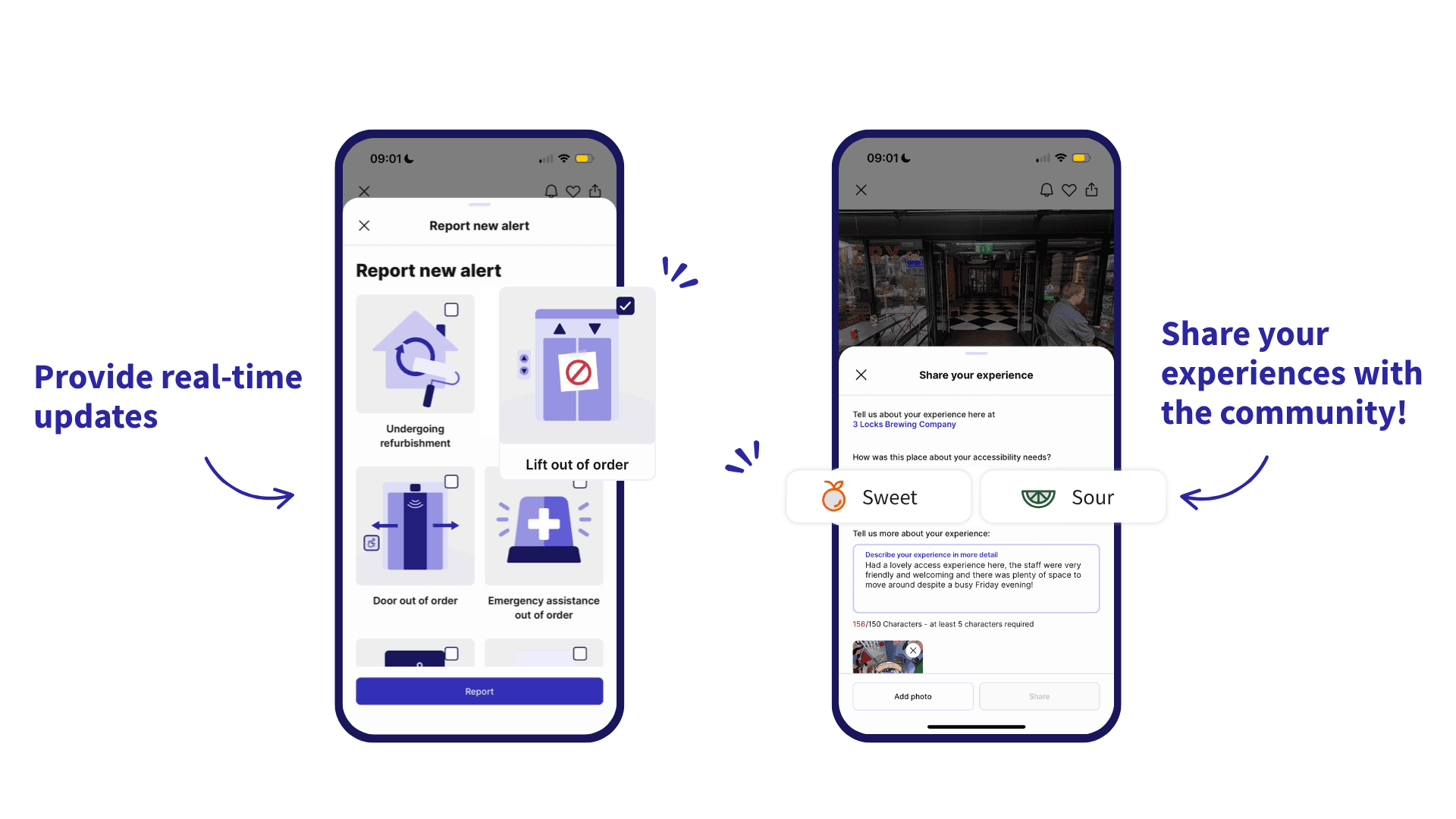
Share Your Experience: Once the photos are sent, leave a "Sweet" or "Sour" review to give others a feel for the atmosphere. Sweet, if the staff made you feel welcome and comfortable, Sour, if they weren’t very accommodating. Or if something is out of order, flag it as a live alert to help others.
If you haven't joined our community yet, you can download the Sociability app here to get started.
Photography tips for sharing better accessibility information
You don’t need professional equipment; a standard smartphone camera is perfect. To help our team accurately tag the place and write descriptive text for non-visual users, try to capture these specific details:
Capturing the Entrance
The entrance is one of the most critical parts of many people’s journeys.
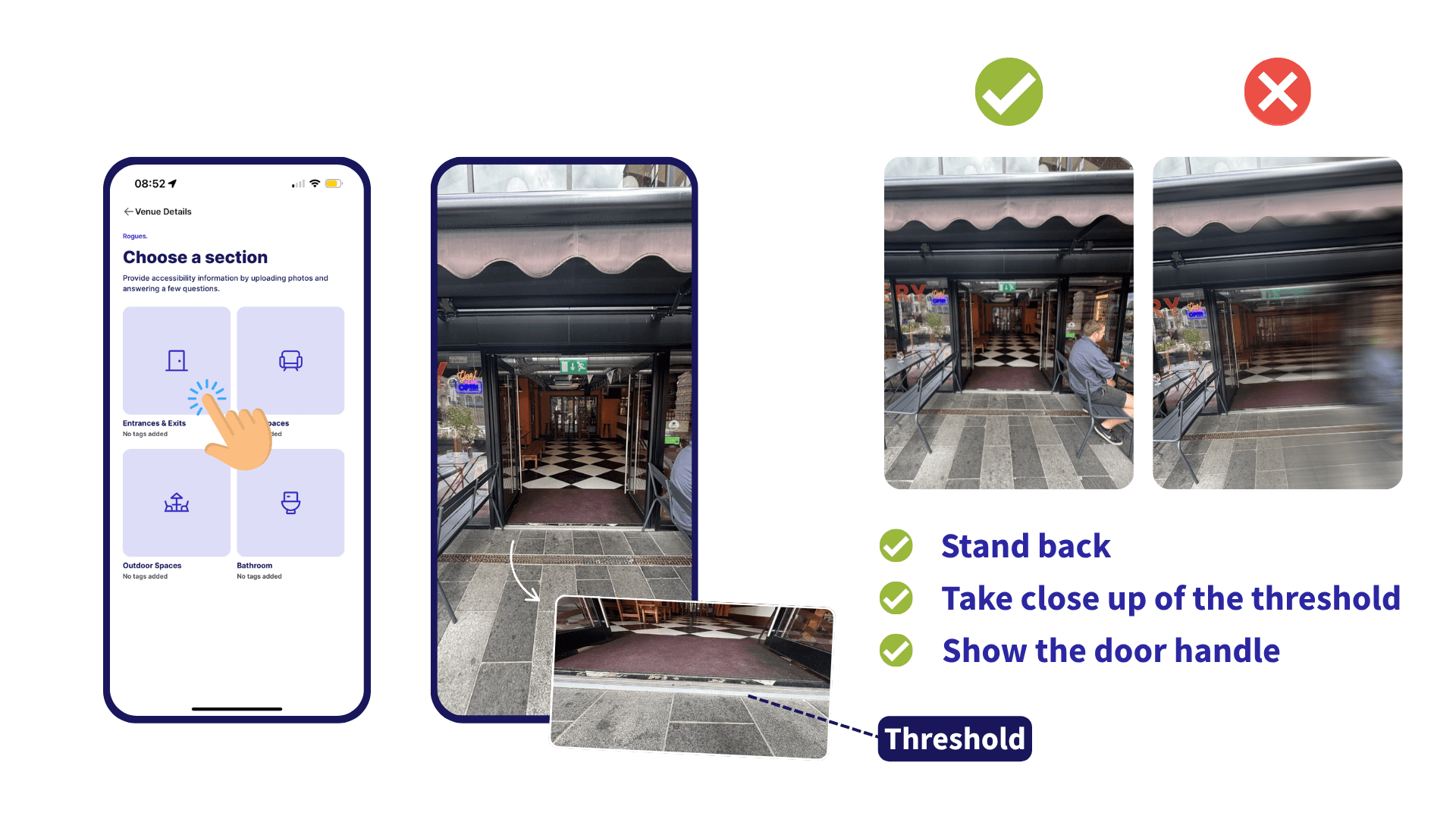
The Big Picture: Stand back far enough to capture the entire doorway and the ground leading up to it.
The Threshold: Take a close-up of the floor of the threshold to show if it is flush or has a small bump/step.
The Mechanism: Show the door handle: is it a push-button, an automatic sensor, or a heavy manual door?
Documenting the Interior & Seating
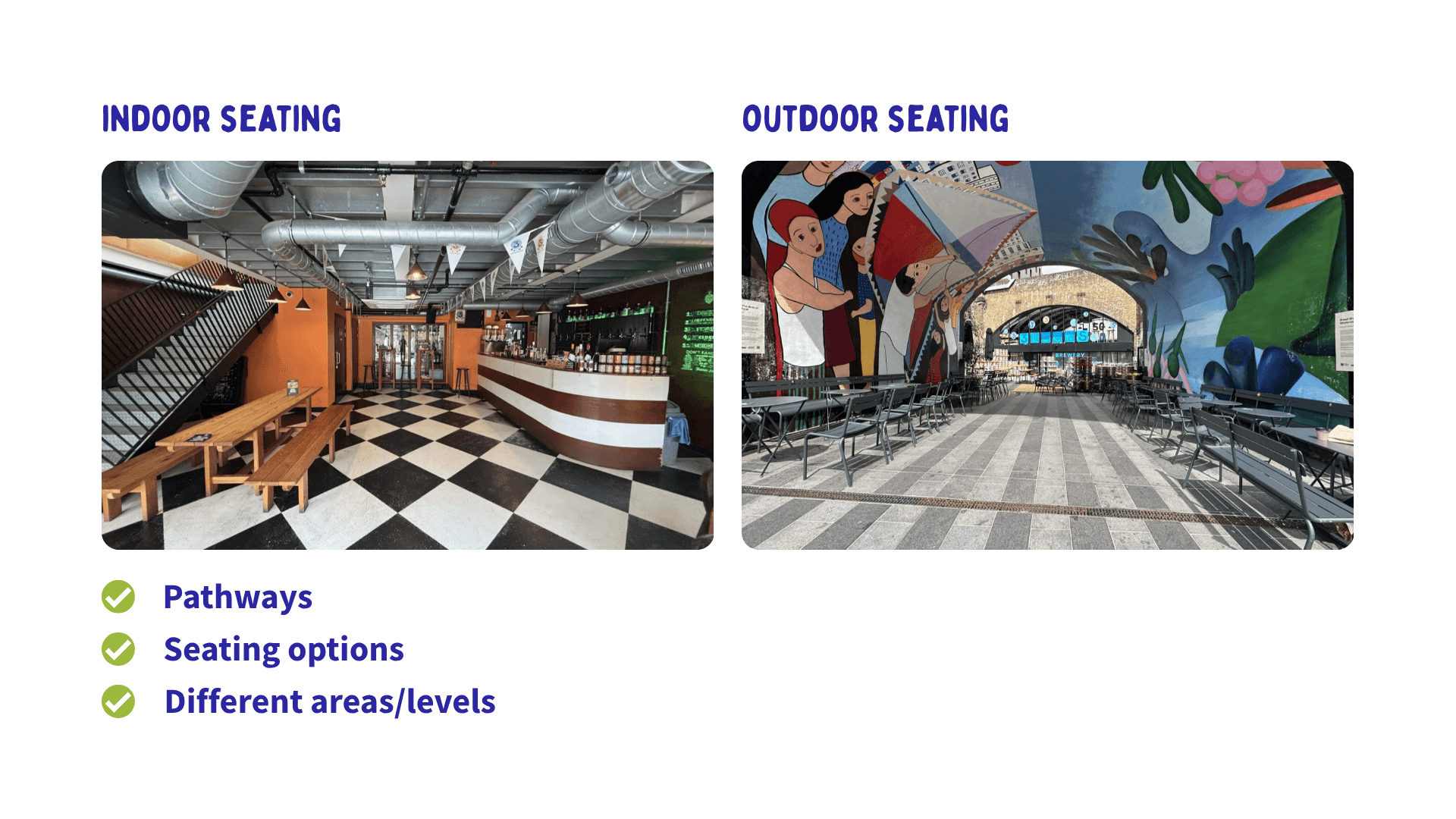
Help others understand how easy it is to move around once inside.
Pathways: Take photos showing the width of the routes between tables.
Seating Options: Show the variety of seating, such as movable chairs versus fixed booths.
Levels: If there is a mezzanine or back area, photograph the steps or ramp leading to it.
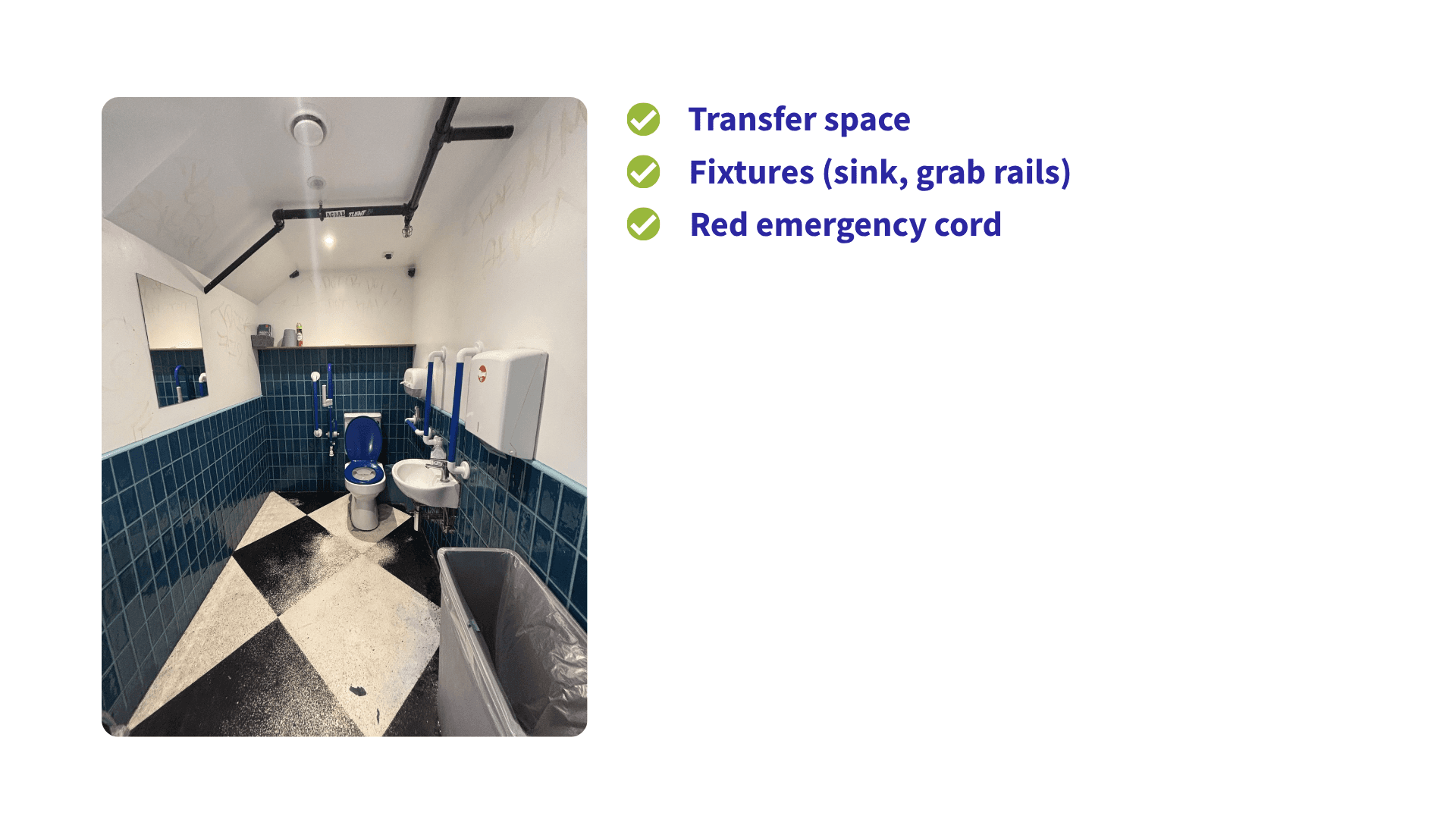
The All-Important Accessible Toilet Shot
For many Disabled people, an accessible toilet is the deciding factor for a visit.
Transfer Space: Try to get a wide-angle shot showing the space next to the toilet.
Fixtures: Capture the sink height and the placement of grab rails.
The Red Cord: Ensure the emergency red cord is visible to show if it reaches the floor.
Adding your personal experience
While our team handles the technical data, your written, personal insight is invaluable for helping Disabled people find welcoming places. Written reviews are also incredibly valuable for users who rely on screen readers rather than images.
Sweet Reviews: Use these for positive experiences, like exceptionally welcoming staff or a quiet space for those with sensory sensitivities.
Sour Reviews: Flag issues photos can't catch, such as loud music or dismissive service.
Live Alerts: Provide real-time updates if a lift is broken or a ramp is temporarily blocked to prevent others from making a wasted journey.
Help us map a world without barriers
Every photo you upload helps another Disabled person better understand what to expect before visiting.
The next time you visit a place in the UK or anywhere else in the world, take a moment to add a few photos or leave a Sweet or Sour review.
We will handle the rest.
Together, we can grow reliable accessibility information for more communities and help Disabled people plan their visits with greater confidence.
Download the Sociability app today and help make the world more accessible!